
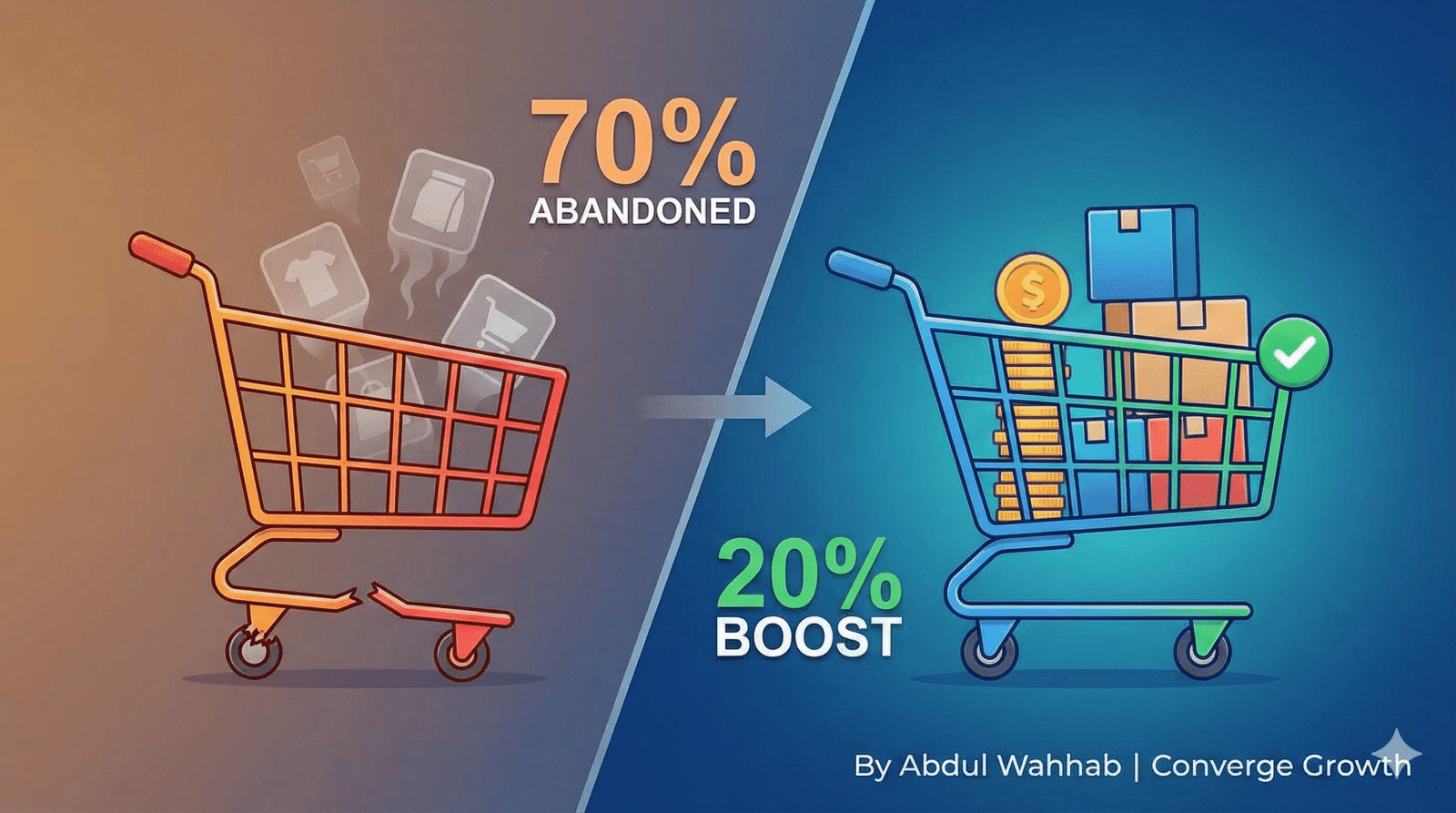
1. The High Cost of Abandoned Carts for Small E-commerce Stores
Picture this: You’ve poured hours into driving traffic to your handmade jewelry store. You’ve tweaked the ads, you’ve posted on Instagram, and you’ve finally got them to the site.
Then, you watch 70% of those shopping carts vanish at checkout.
It’s painful. It’s like watching $5,000 in potential revenue slip through your fingers every single month. For a solo operator, that isn’t just a metric; that’s your cash flow. That’s your vacation fund. That’s your peace of mind.
You aren’t alone in this. According to 2025 data from the Baymard Institute, the average documented online shopping cart abandonment rate is 70.19%.
Why does this hit small shops so hard? Because unlike Amazon, you don’t have 350,000 engineers to A/B test every pixel. You have extra costs, complex processes, and absolutely no time for a complete site overhaul.
But here is the big promise: You don’t need a developer. You don’t need weeks of testing.
I’m going to show you 5-minute, no-code Shopify tweaks, like enabling guest checkouts and adding progress bars, that can slash abandonment by up to 20% fast. These are the exact “magic levers” used by a jewelry store client of mine to reclaim that $5k.
These fixes are your path to passive income without the burnout.
2. Why Do Customers Abandon Carts? Key Statistics and Causes
Before we fix it, we have to understand the friction. Why do people leave?
If you are like most small e-commerce owners I’ve worked with, running a niche store on a shoestring budget, these issues feel personal. When a customer leaves, it amplifies your fear of economic pressures like rising ad costs. You wonder, “Is it my product? Is it my price?”
Usually, it’s just your process.
Here are the top culprits, backed by data:
- Hidden Fees (48%): Unexpected shipping costs or taxes at the very last second break trust instantly.
- Forced Account Creation (24%): Requiring a user to create a password is the fastest way to kill a sale.
- Slow or Confusing Processes: If they don’t know how many steps are left, they bail.
- Mobile Glitches: If they have to pinch-and-zoom to hit “Buy,” you’ve lost them.
The Data Reality: According to Baymard, 56% of shoppers abandon because of extra costs, and 22% abandon because the checkout was too complicated. In 2025, with global abandonment hovering at 70%, fixing these “trust busters” is the highest ROI activity you can do.
3. 5 Steps to Optimize Shopify Checkout and Boost Conversions
Let’s get to work. These are numbered for memorability. Open your Shopify dashboard in another tab.
1. Enable Guest Checkout to Speed Up Purchases
The Concept: Forcing a user to create an account is like asking for marriage on the first date. It scares people off. Guest checkout lets them buy fast without commitment.
Why it works: It removes the mental friction of remembering another password.
Implementation (Time: 2 mins):
- Go to Shopify Admin > Settings > Checkout.
- Look for “Customer contact method.”
- Select “Don’t require a customer to log in” (or toggle ‘Guest Checkout’ depending on your theme version).
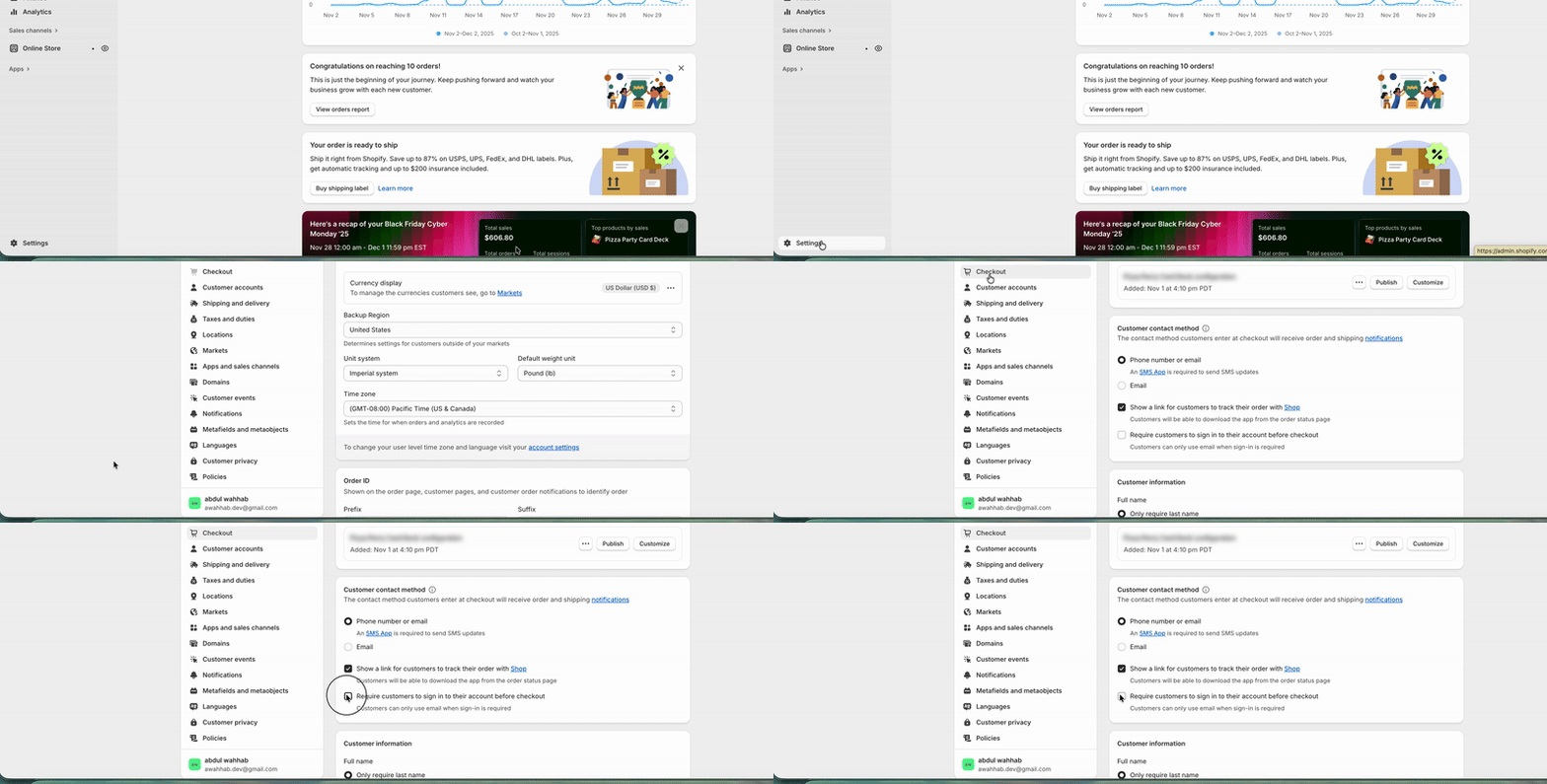
The Result: No more pulling you away from inventory management to reset passwords. You reclaim time for your family while boosting conversions.
Counter-Narrative: While this cuts abandonment by 20-50% in studies, it can slightly increase fraud risk in high-value niches because you have less data on the buyer. If you sell high-ticket items, install a basic fraud protection app to mitigate this.
2. Install a Checkout Progress Bar to Guide Users
The Concept: A progress bar turns a confusing maze into a straight line. It tells the user, “You are almost there.”
Why it works: It reduces anxiety and clarifies the steps. It uses the “Endowed Progress Effect”; people are more likely to finish a task if they can see the finish line.
Implementation (Time: 5 mins):
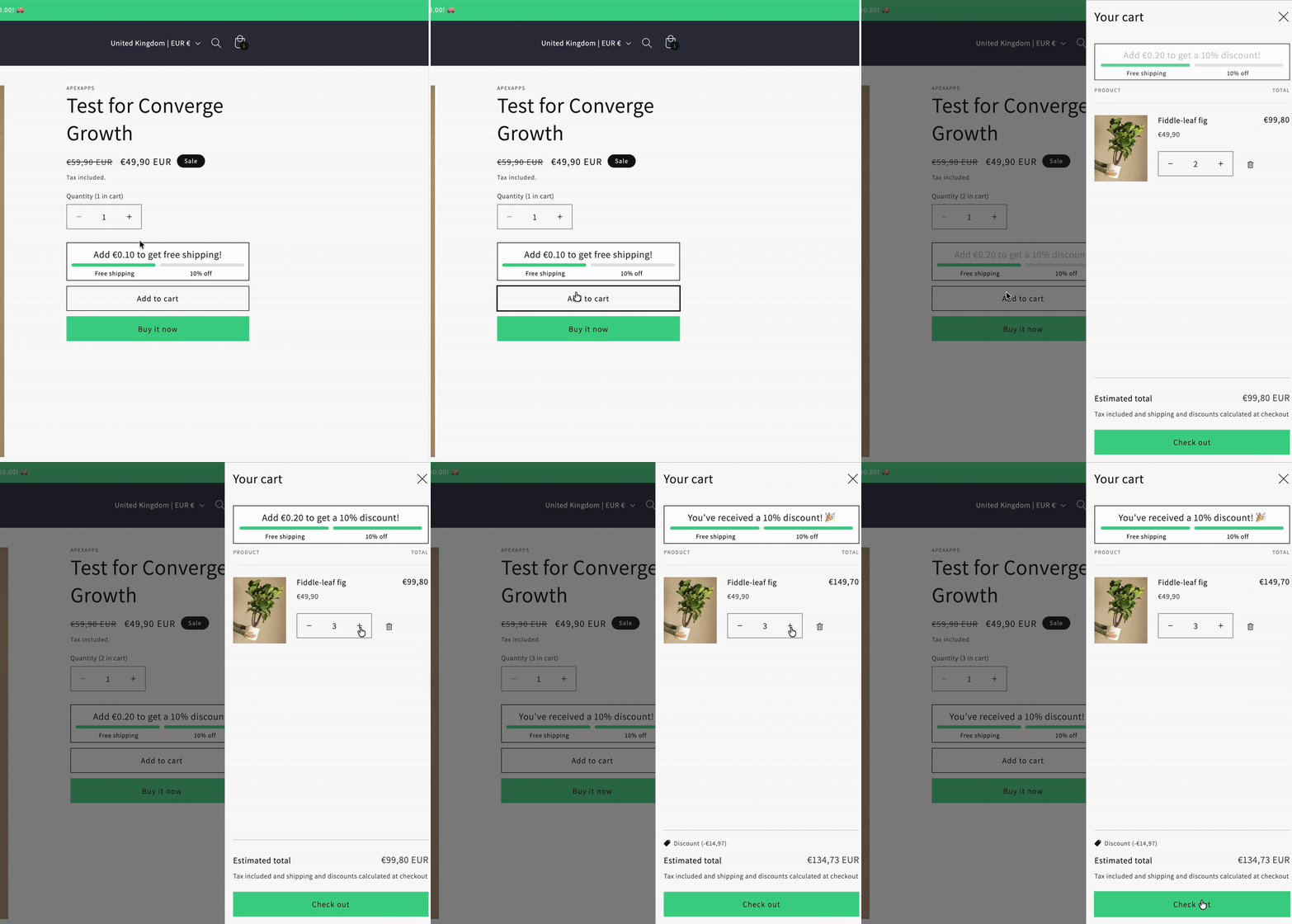
Use your Shopify Theme Editor to enable breadcrumbs or progress indicators.
Recommended: Alternatively, use a free app like “Apex Cart Progress Bar” to add a visual bar.
Emotional Hook: Spark that FOMO. See your peers double their sales with this simple visual tweak.
3. Reduce Form Fields and Enable Auto-Fill
The Concept: Every extra field is a hurdle. If you don’t need their company name or second phone number, don’t ask for it.
Why it works: Speed! It reduces the “cognitive load” required to buy.
Implementation (Time: 3 mins):
- Go to Settings > Checkout.
- Under Form Options, set “Company name” to Hidden.
- Set “Address line 2” to Optional.
Ensure “Use shipping address as billing address” is checked by default.
4. Display Total Costs Upfront to Build Trust
The Concept: Show fees upfront. “Sticker shock” is the number one conversion killer.
Why it works: It builds trust. Transparency equals confidence.
Implementation: Ensure your cart drawer or checkout page displays tax and shipping estimates before the final payment step. Most modern Shopify 2.0 themes do this by default; just verify it’s enabled in the Theme Editor.
5. Improve Mobile Checkout Experience for Usability
The Concept: 53% of visits are abandoned if a mobile site takes longer than 3 seconds to load or is hard to use.
Why it works: We live on our phones. If your “Buy” button is too small for a thumb, you lose the sale.
Implementation:
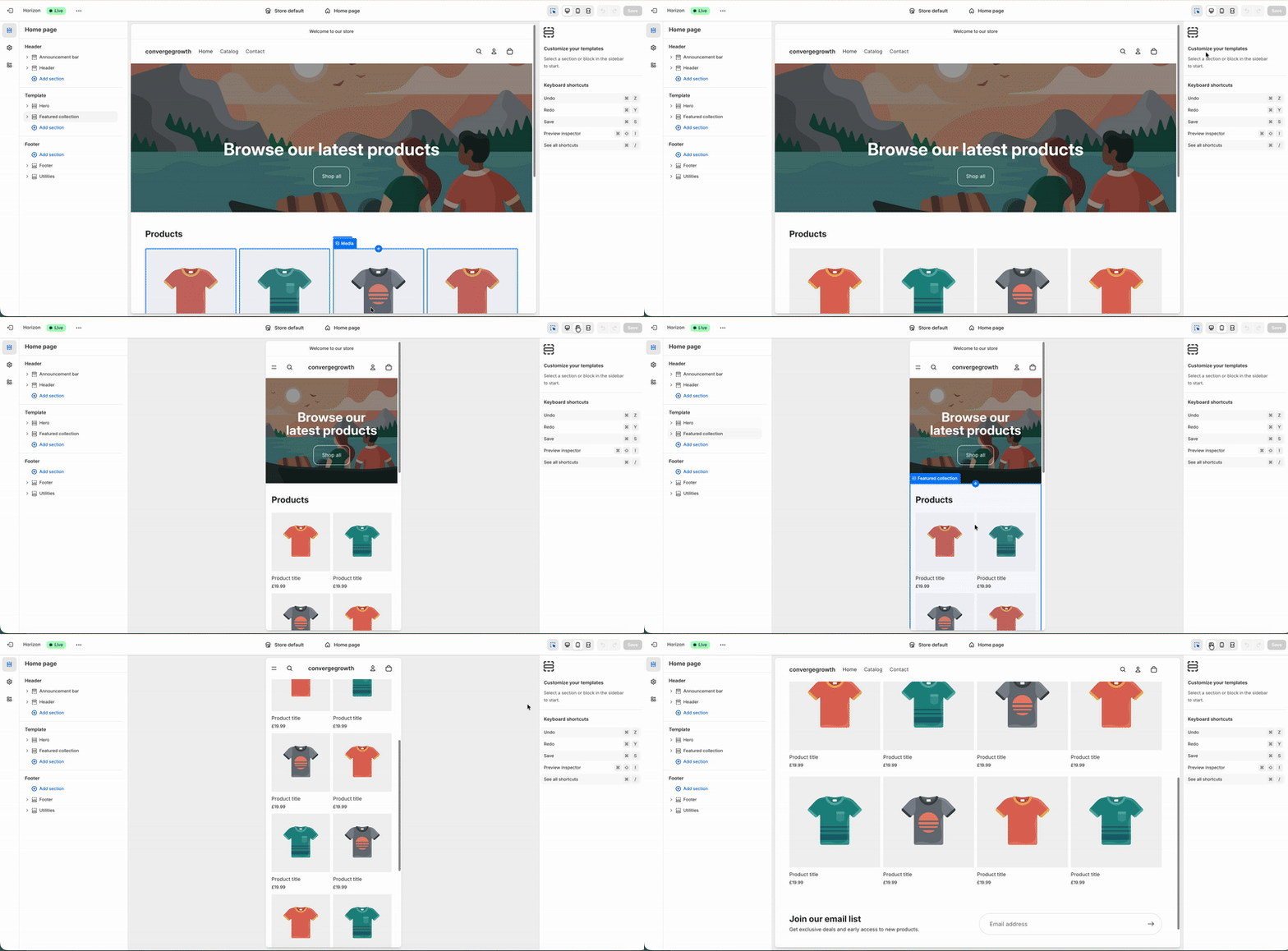
- Use Shopify’s mobile preview view.
- Ensure buttons are distinct colors and span the width of the screen on mobile.
- Compress images using built-in tools to ensure speed.
4. Case Studies: ROI Expectations for Checkout Optimization
These aren’t hypotheticals. These are proven metrics.
The Handmade Jewelry Store: I worked with a small jewelry brand that was bleeding revenue. They had beautiful products but a clunky, multi-page checkout that required account creation.
The Fix: We enabled Guest Checkout and added a simple Progress Bar.
The Result: They reclaimed $5,000 in lost revenue in the first month.
The Dropshipping Gadget Shop: A gadget store implemented “Shop Pay” (which essentially acts as a super-powered guest checkout) and saw a 25% uplift in conversions.
The Data: According to Shopify, Shop Pay can boost conversions by up to 50% compared to standard guest checkout. Baymard studies consistently show a 17-22% reduction in abandonment just by streamlining the checkout flow.
Here is what that looks like for your bottom line:
| Metric | Before Optimization | After Optimization | Impact |
| Abandonment Rate | 75% | 60% | -15% Abandonment |
| Conversion Rate | 1.5% | 2.5% | +1% Conversion |
| Monthly Revenue | $10,000 | $16,600 | +$6,600 / Month |
Note: While averages hover at 15-25% improvement, factors like your specific niche could amplify (or mute) these results. Always track with Shopify Analytics for proof.
5. Potential Pitfalls: When Optimization Doesn’t Work Immediately
I believe in empowering honesty. Not every fix is a silver bullet.
It isn’t always “Overnight” If your traffic is very low (less than 1,000 visitors a month), you might not see statistically significant data immediately. Furthermore, if your site has deeper issues, like slow loading speeds or poor product photography, a better checkout won’t save you.
Technical Glitches: Whenever you install an app or tweak code, things can break.
The Fix: Always duplicate your live theme before making changes. Test the checkout yourself on both your phone and your laptop before announcing it to the world.
The “Generic Best Practice” Trap Sometimes, a progress bar can actually overwhelm a user if you have a simple, one-product store.
Counter-Narrative: If generic best practices don’t seem to fit your unique audience, you might need a custom CRO (Conversion Rate Optimization) audit by a CRO Expert . But for 90% of stores, the basics work wonders.
Empowerment Tip: Test one tweak at a time via Shopify’s A/B tools to measure real ROI. This aligns with your pride in independence; don’t guess, know. Potential Pitfalls and How to Avoid Them: A Balanced View
6. Conclusion: Start Your Checkout Audit and Reclaim Revenue
We’ve covered a lot, but the path is clear.
These 5-minute fixes are about more than just settings; they are about turning abandoned carts into consistent $10k+ milestones. They are about freeing you for your creative passions so you aren’t dependent on pumping more money into ads just to stay afloat.
Don’t let another cart slip away. Grab that 20% boost and reclaim your financial freedom today.
Your Next Step: Ready to see if these work for your store?
Leave a Reply